
Skip to content
Toggle Navigation
Home
Lessons & Services
Apple Computer, iPhone & iPad Lessons
ChatGPT & AI Lessons
HumanShield™ Scam Protection
Virus & Malware Removal
Apple Computer Setup
Scams & Identity Theft
Wireless Network Setup & Installation
Wireless Printer Help
Website Design
Data Recovery
iCloud & Synching
Memberships
HumanShield™ By Ubermac
Concierge Level™ By Ubermac
About Us
Contact
Contact Form
Book An Appointment
Blog
How Ubermac Works
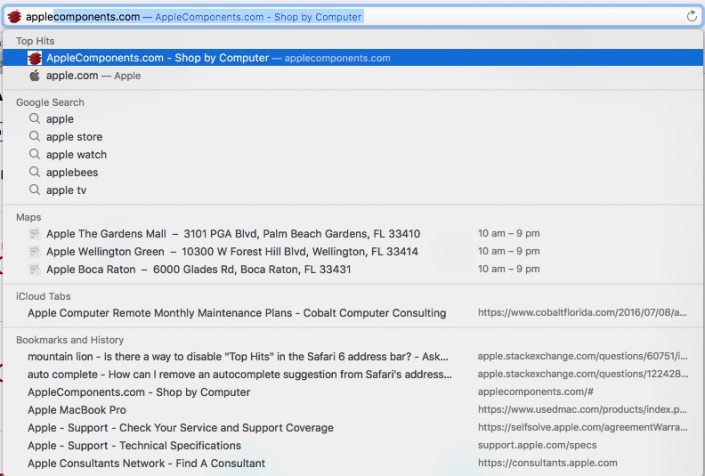
Top Hit
How To Disable Or Remove Safari “Top Hit” Autofill Search Suggestion
Gallery
By
schizm00
|
Tags:
Apple
,
Apple Certified technician
,
Applecomponents.com
,
Autofill
,
Browser
,
Disable
,
Fix
,
history
,
History.db file
,
iMac
,
Internet help sites
,
Library
,
MacOS Sierra
,
Reboot
,
Remove
,
Safari
,
Safari settings
,
Search bar
,
Search suggestion
,
Solution
,
Top Hit
,
Troubleshooting
|
How To Disable Or Remove Safari “Top Hit” Autofill Search Suggestion
Page load link
Go to Top