
Why Your Apple Password Is More Important Than Antivirus Software
Updated June 13, 2026

The Strongest Security Tool On Your Apple Device Might Already Be Built In
When most people think about cybersecurity, they think about viruses, malware, and antivirus software. While those threats still exist, the reality is that most Apple users today are far more likely to have an account compromised through a weak password, stolen login credentials, or a scam than through a traditional virus.
At Ubermac, we frequently help clients recover Apple IDs, reset passwords, secure online accounts, and navigate Apple’s security features. In many cases, the issue isn’t malware at all—it’s account security.
Understanding how passwords, passkeys, and two-factor authentication work can dramatically reduce your risk of becoming a victim.
Why Passwords Still Matter
Many people use simple passwords because they’re easy to remember. Others reuse the same password across multiple websites.
Unfortunately, these habits can create serious security risks.
A strong password should:
- Be unique
- Be difficult to guess
- Not be reused across multiple websites
- Be stored securely
Apple’s Passwords app can generate and store strong passwords for you, making it much easier to maintain good security without needing to remember dozens of complicated passwords.
What Is Two-Factor Authentication?
Two-factor authentication, often called “2FA,” adds a second layer of protection to your account.
After entering your password, Apple sends a verification code to one of your trusted Apple devices.
Even if someone knows your password, they still cannot access your account without that verification code.
Think of it like having two locks on your front door instead of one.
Two-factor authentication is one of the most effective security features available and should be enabled on every Apple ID.
Important Warning
If someone calls, texts, emails, or messages you asking for an Apple verification code, do not provide it.
Scammers often try to trick people into sharing these codes so they can gain access to accounts.
Apple will never call you and ask for your verification code.
What Are Passkeys?
I get asked this question a lot. Passkeys are Apple’s next-generation replacement for traditional passwords and are designed to be both more secure and easier to use.
Instead of relying on a password that can be stolen, guessed, or reused, passkeys use advanced cryptography and your trusted device to verify your identity.
Benefits of passkeys include:
- No password to remember
- Protection against phishing scams
- Stronger security
- Faster sign-ins
- Easier account management
Major companies including Apple, Google, Microsoft, and many financial institutions are increasingly adopting passkeys because they are both more secure and easier to use.
Over time, passkeys are expected to replace many traditional passwords.
Common Security Mistakes We See
Some of the most common security problems we encounter at Ubermac include:
- Using the same password everywhere
- Writing passwords on sticky notes
- Sharing verification codes
- Ignoring Apple security alerts
- Using weak passwords
- Not understanding two-factor authentication
- Losing access to trusted devices
- Failing to update account recovery information
Most of these issues can be prevented with a little planning and the proper security settings.
Security Is About More Than Antivirus Software
Antivirus software can help protect against certain threats, but modern cybersecurity involves much more than detecting malware.
Today’s biggest risks often involve:
- Password theft
- Phishing attacks
- Scam emails
- Scam text messages
- Fake websites
- Account takeovers
- Identity theft
Protecting yourself requires a combination of strong passwords, two-factor authentication, passkeys, and awareness of common scams.
How HumanShield Helps
Technology security isn’t just about protecting devices. It’s about protecting people.
HumanShield was created to help Apple users stay safer online and make better technology decisions.
HumanShield members receive assistance with:
- Apple ID issues
- Password management
- Passkeys
- Two-factor authentication
- Scam prevention
- Monthly technology reviews
- Security guidance
- Quick technology questions
When something doesn’t look right, you don’t have to figure it out alone.
Need Help Securing Your Apple Account?
Whether you have questions about passwords, passkeys, Apple IDs, or security settings, Ubermac is here to help.
If you’re unsure whether your Apple account is properly secured, give us a call. We’ll help you understand your options and make sure your technology is working safely for you.
Protect Yourself Before Problems Happen
HumanShield™ helps Apple users stay protected from scams, account takeovers, password problems, and other technology threats through ongoing guidance and support.
Learn more about HumanShield or call Ubermac today to see if it’s right for you.
HumanShield Members Get Help Before They Click
One of the most valuable HumanShield™ benefits is having access to a real technology expert before making an important decision.
Many technology questions don’t require a house call or a lengthy appointment. HumanShield members can contact us for quick technology questions and 5-Minute Quick Fixes that often resolve common issues before they become larger problems. Sometimes a simple answer at the right time can save hours of frustration.
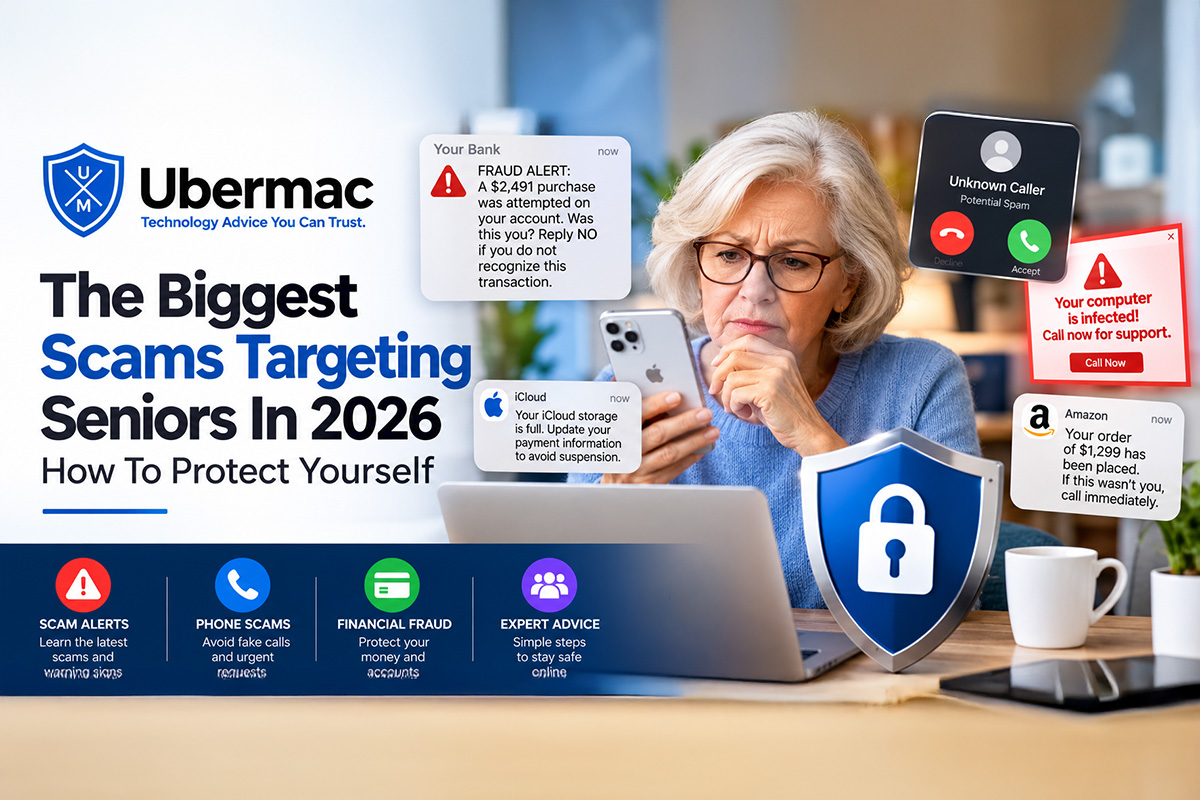
If you receive an email claiming your iCloud storage is full, a text message warning that your Apple Account has been locked, or a suspicious request asking you to verify payment information, simply send us a screenshot before clicking any links.
We can help:
- Review suspicious iCloud emails Verify whether Apple messages are legitimate
- Evaluate scam text messages
- Identify fake storage warning notices
- Review screenshots before you click
- Help determine whether links are safe
- Provide guidance before a mistake turns into financial loss
Most scam victims aren’t hacked through sophisticated technology. They’re simply tricked into trusting a message that appears legitimate.
HumanShield™ gives you a second set of eyes before you click.
Before You Click, Reply, Or Enter Your Password
HumanShield™ helps protect Apple users from scams, suspicious emails, fake text messages, identity theft concerns, online fraud, and digital threats with direct access to a trusted Apple Certified Technology Consultant.
One of the most valuable benefits of HumanShield is having a trusted technology expert available before you make an important decision. Many scams succeed because people feel rushed, confused, or pressured to act immediately. HumanShield gives you someone you can contact before you click a link, reply to a message, send money, provide personal information, or enter a password. A quick conversation today can help prevent a much bigger problem tomorrow.
Learn how HumanShield™ helps protect Apple users from scams, suspicious emails, fake text messages, identity theft concerns, online fraud, and costly mistakes before they happen. Memberships start at just $45 per month.
HumanShield™ – Your Personal Digital Bodyguard.
Before you click. Before you reply. Before you pay. Call HumanShield first.
Give us a call at 561-320-4564 for any questions you might have.

October 17, 2026
October 17, 2026

October 17, 2026

October 17, 2026


